Online AI DXF editor
Fix DXF geometry with AI, draw bend lines and fold a flat part into a 3D STEP model, without leaving the browser.
Fix DXF geometry and fold it into 3D, in the browser
Open any DXF, let AI clean the geometry, set bend lines and convert it to a folded 3D STEP model, without leaving the browser.
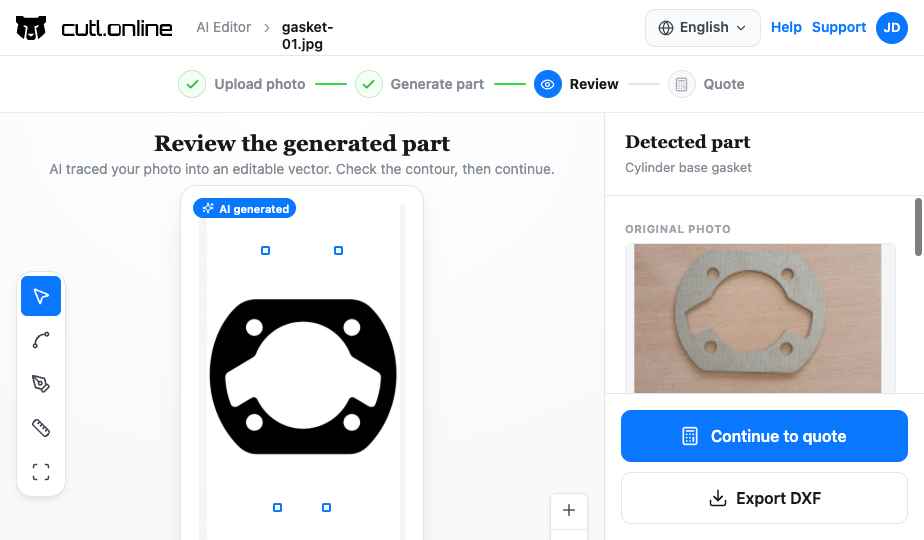
Any starting point
Your own DXF, a text description, a common shape or a photo of a part. All open in the same editor.
Bring your own DXF, describe the part and let AI draw it, start from a common shape, or photograph a part on the shop floor. Every route ends in the same editor, and every drawing in it can be converted to a folded 3D model without leaving the part editor.
Bend lines
Each bend has its own angle, direction and inner radius, calculated from material, thickness and K-factor.
Draw bend lines where the part folds and each one carries its own angle, direction and inner radius. The fold is calculated from the sheet: the part's material and thickness, its K-factor or an explicit bend deduction per bend. Convert, and the blank is folded along those lines into a solid you can inspect. A part with no bend lines is extruded to its sheet thickness with the holes cut through, which is all a flat laser part needs.
Refuses what cannot be bent
Bend lines that do not cross the part, angles outside 10° to 170° and crossing folds are blocked in the editor, not on the press brake.
A bend line that does not fully cross the part turns red and blocks the conversion, an angle outside 10° to 170° is rejected, and crossing folds are refused with the reason. You find out in the editor, in seconds, rather than on the press brake.
More tools in CUTL MBD Studio
Fix DXF geometry and fold it into 3D, in the browser
Open any DXF, let AI clean the geometry, set bend lines and convert it to a folded 3D STEP model, without leaving the browser.