In short: upload the STEP model to CUTL, invite the person by email and set an expiry date. They open the model in the browser with a one-time code, comment next to the model and never receive the file. You can revoke access at any time and, for assemblies, share only selected parts.
When you design parts and assemblies in 3D, you often need to show the result to someone to settle open questions:
- show a customer the work in progress
- ask a fabricator whether they can make the part
- get advice from a specialist
For that, they need to see the part or the assembly. And this is where it gets difficult: do you send them the 3D model itself?
- The customer. You would rather not. What if they are happy with it? They already have the model, and you have not been paid yet. Will you be paid at all?
- The fabricator. They have enough work already. If it is your own shop, you drop the file in a shared folder and they take a look. If it is an outside shop, why should they spend time on it? And later they may mix up the versions and make the part from an intermediate model instead of the final drawing.
- An outside specialist. They may not even have software to open the file, or the time to deal with it.
And so it begins: screenshots of the part, chat messages, images by email, waiting for replies, lost time.
CUTL solves this.
Example: a fixed flange
Say we have designed a fixed flange and need to clarify a few points.
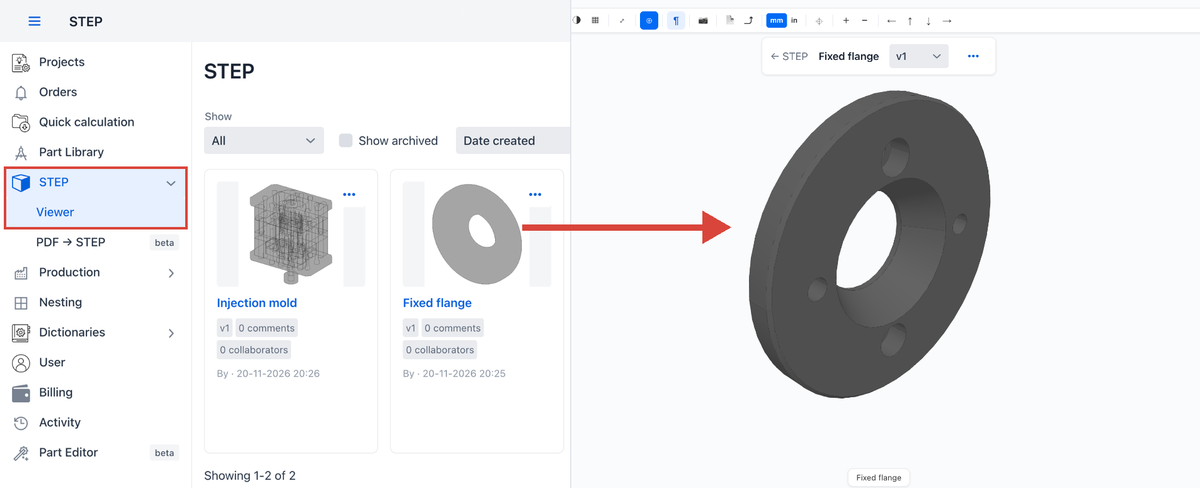
Upload the model to CUTL under STEP → Viewer and open it.
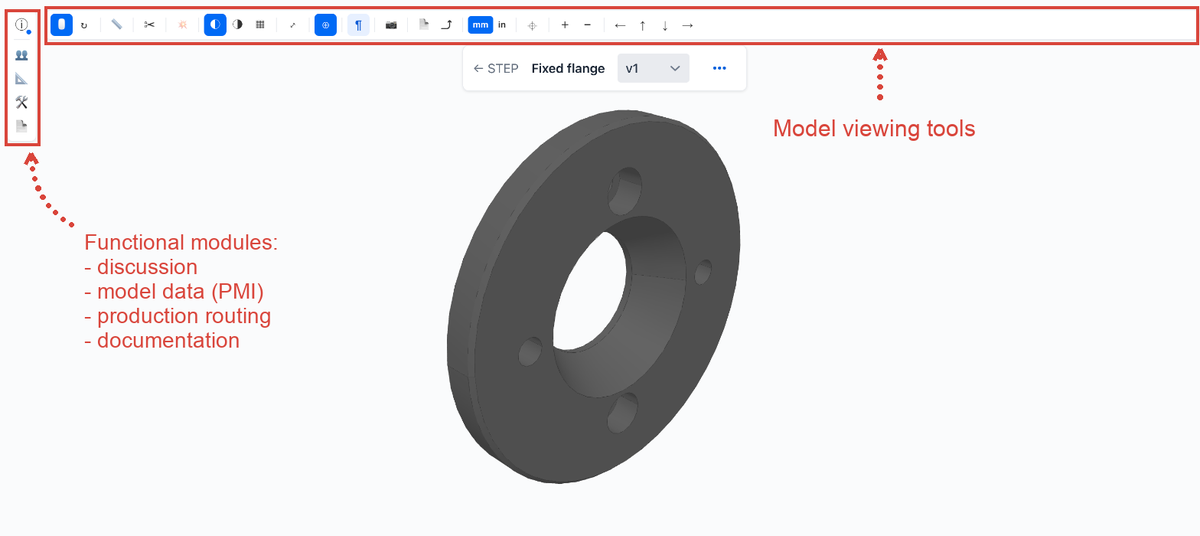
The 3D viewer opens with its tools:
Invite someone to view the model
For this, we need the discussion module. Click the discussion icon, then the envelope icon to send an invitation.
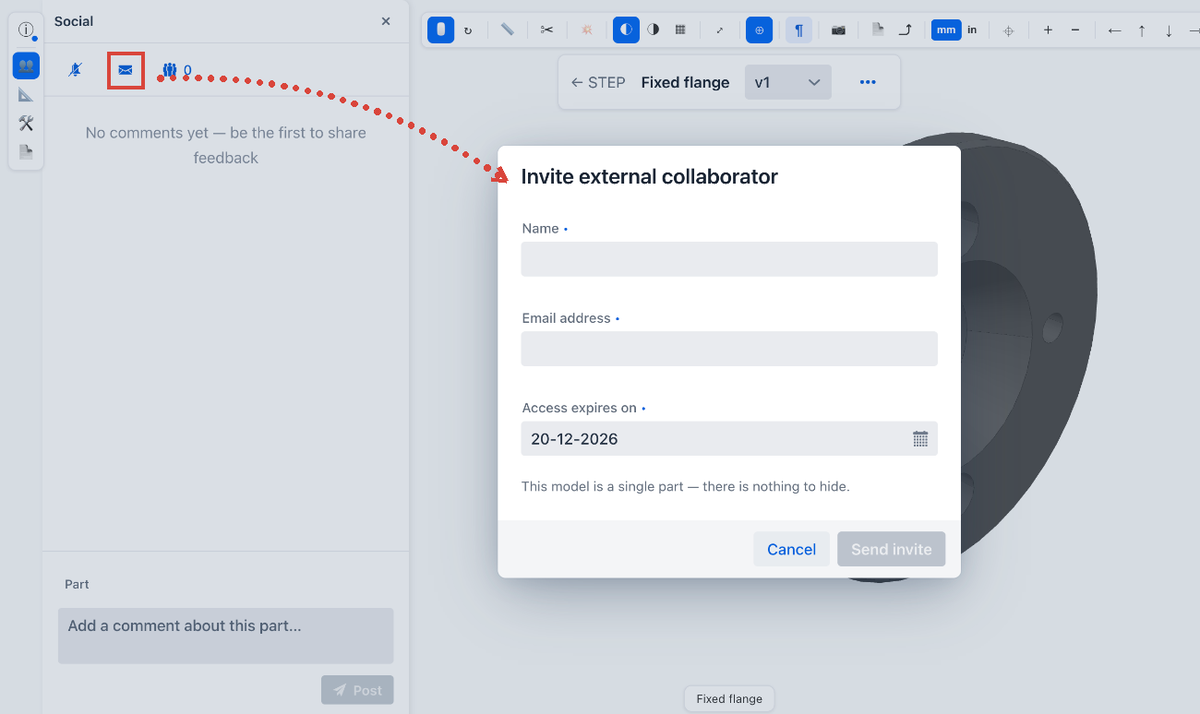
Enter the person's name, their email address and the date their access expires, then click Send invite.
The invitee receives an email:
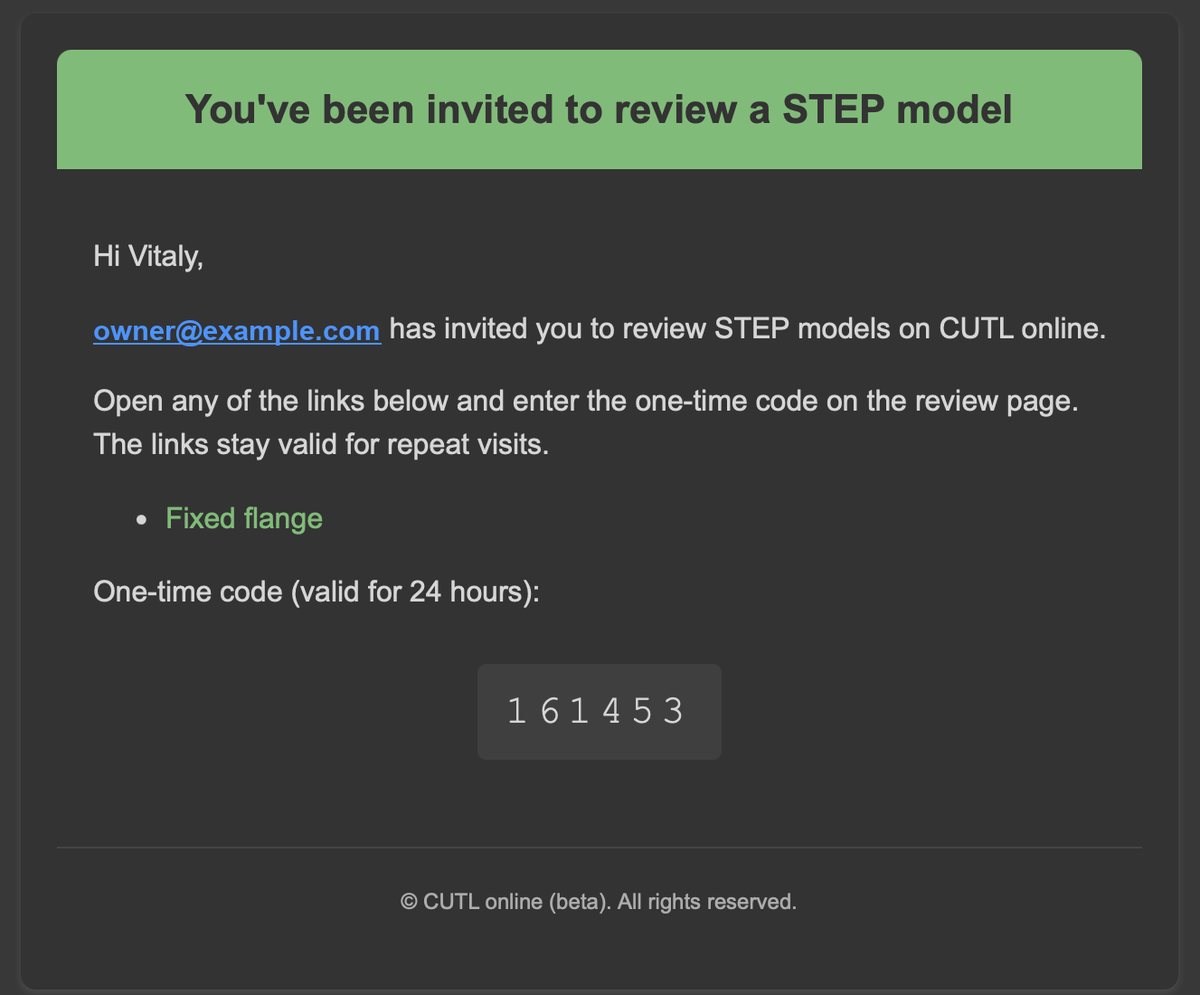
The email contains a link to your 3D model and a one-time code that lets the recipient sign in without registering. The code ensures that only the recipient can open the link. Even if the link is forwarded to other people, it does not work without the code.
When they open the link, they see this:
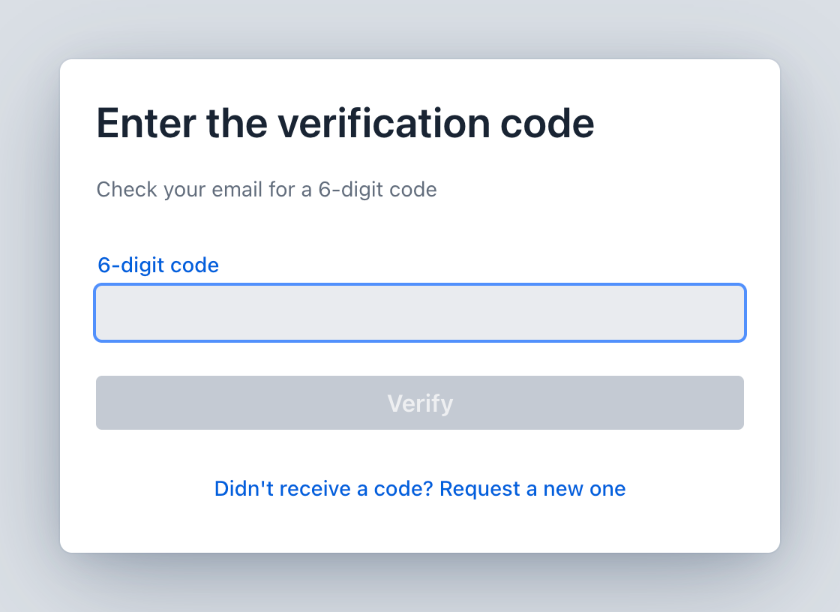
The link opens on any device, even a phone, and requires no extra software.
What the invitee sees
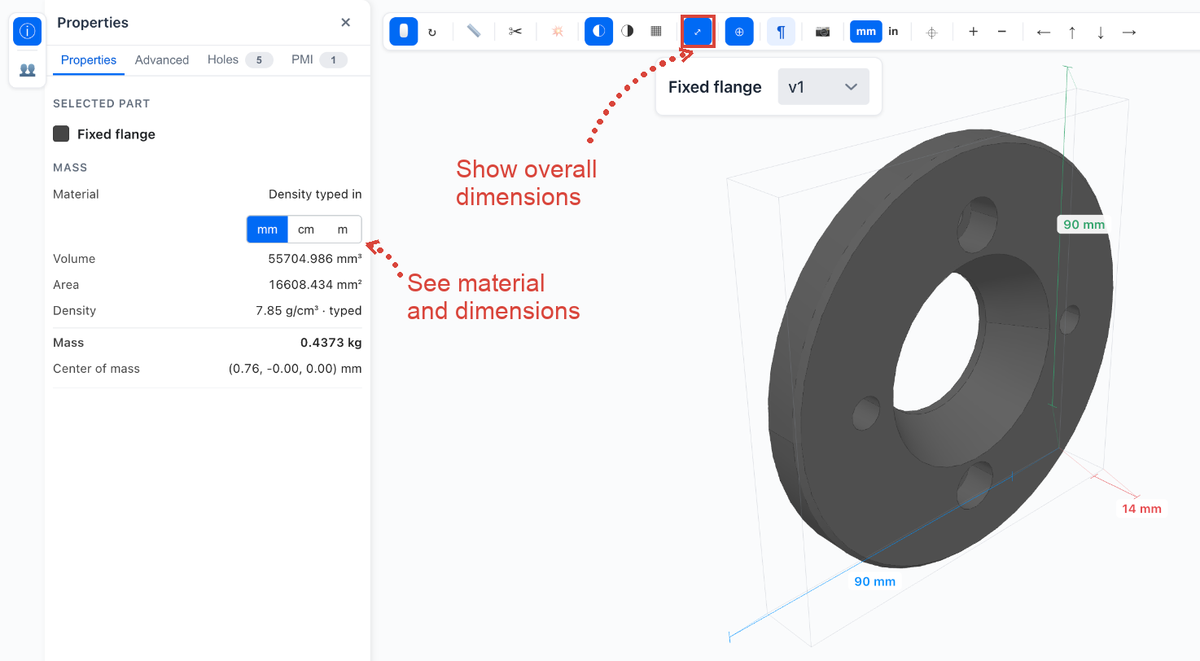
The invitee gets the 3D viewing tools plus the part's material (if set), mass and volume.
And, of course, the discussion section.
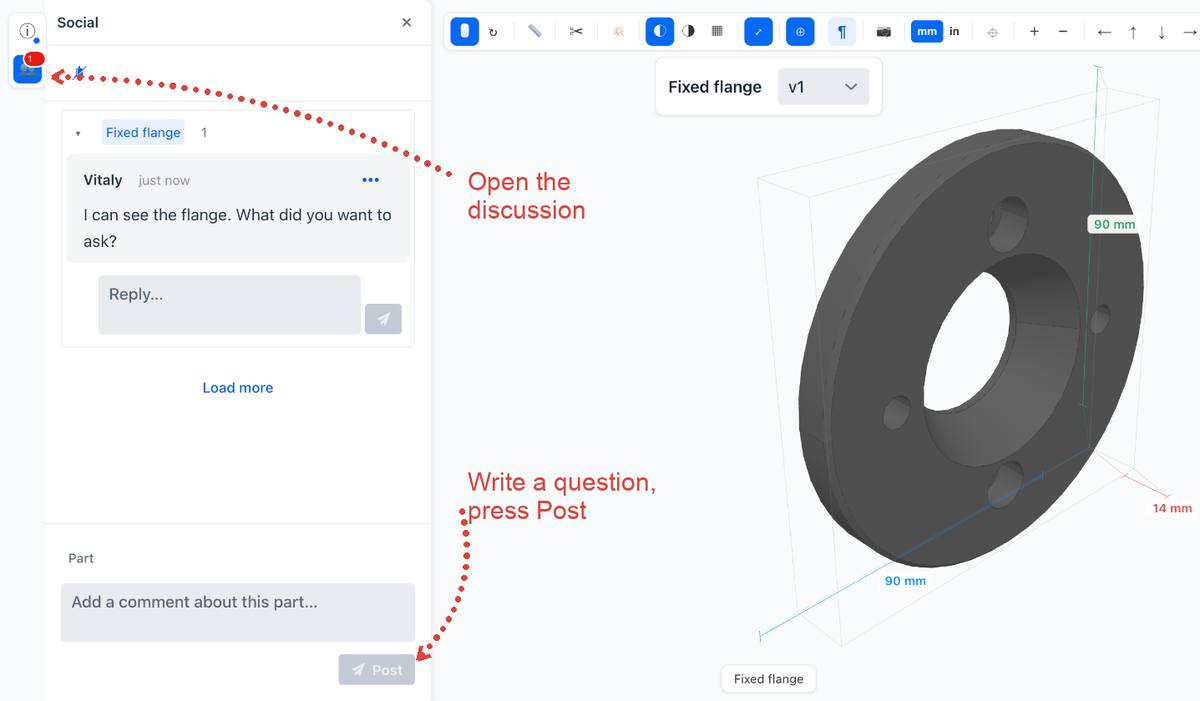
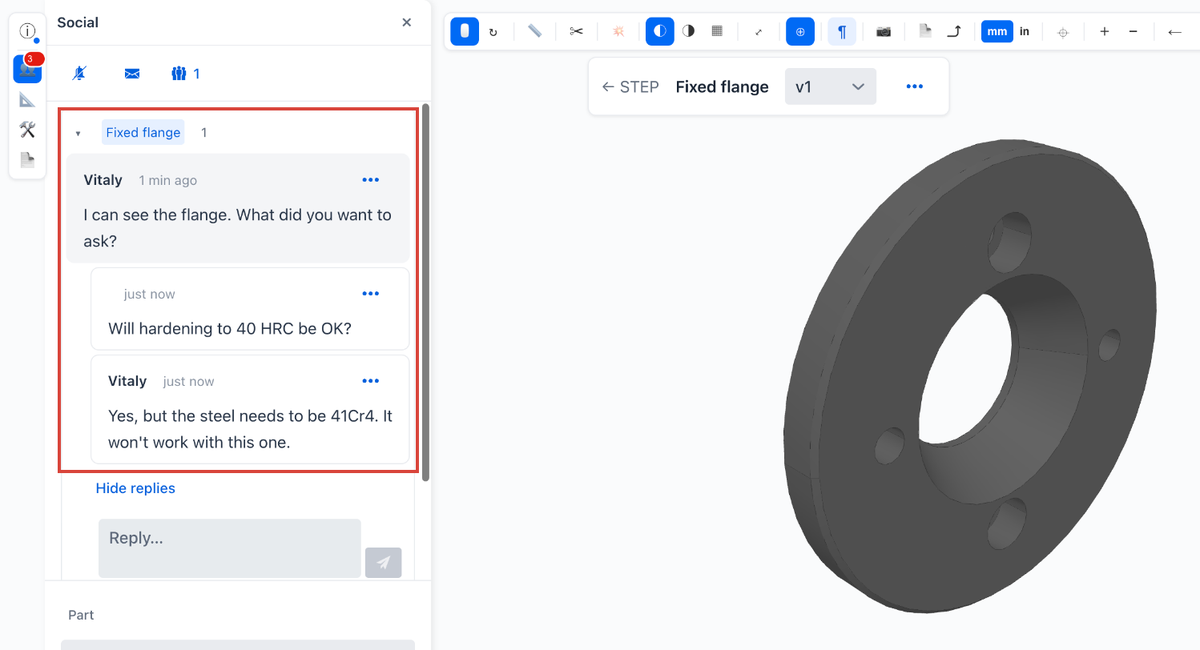
You see the invitee's comment and can ask your own question or answer theirs:
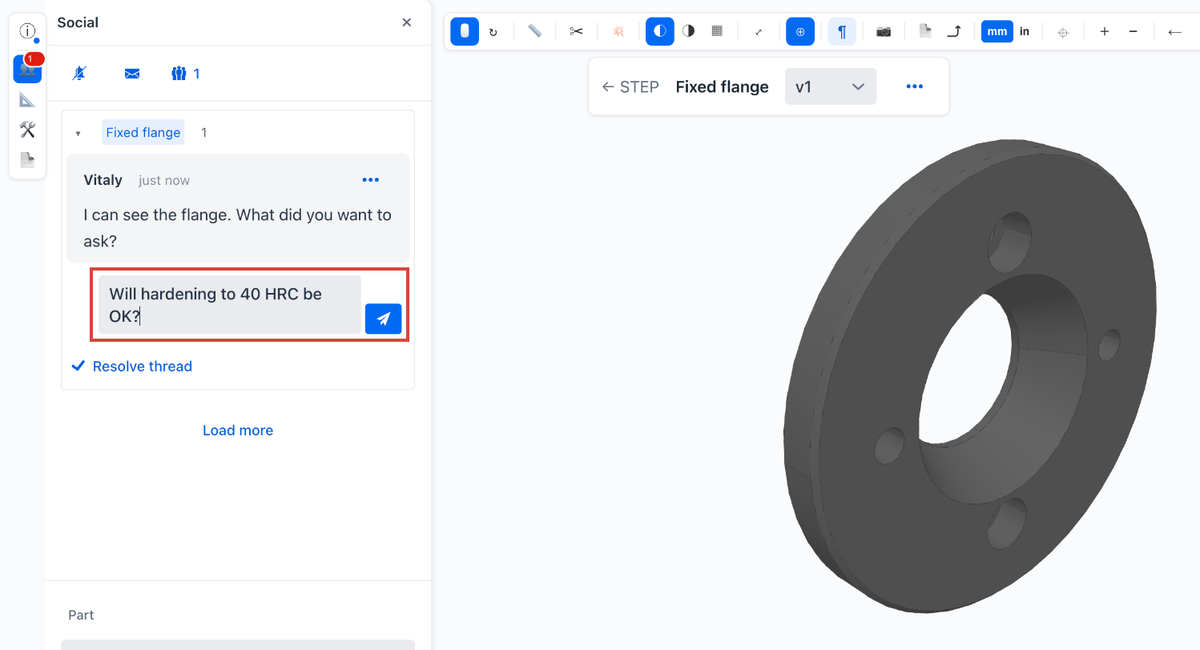
And get an answer.
You stay in control of access
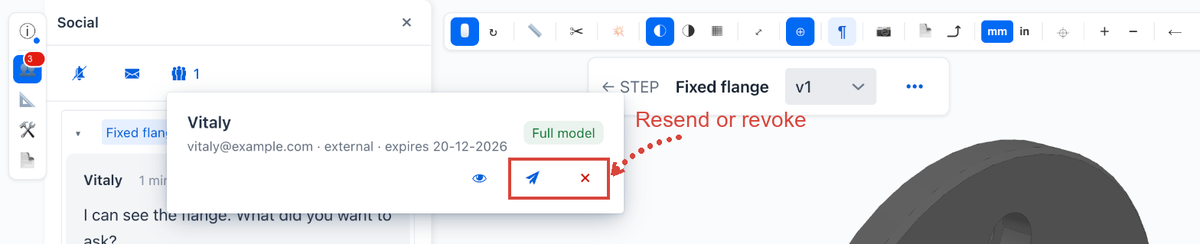
You can revoke access to the model at any time. From the same place, you can resend the invitation if the link gets lost.
Assemblies: share only selected parts
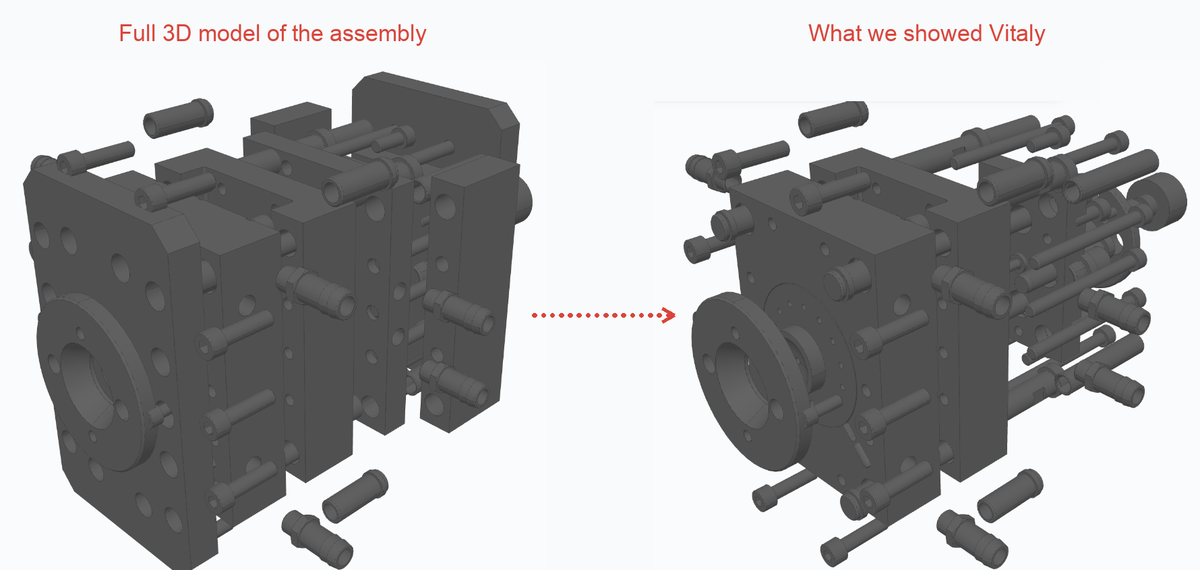
This works for single parts and for assemblies. For an assembly, you can share selected parts instead of the whole assembly.
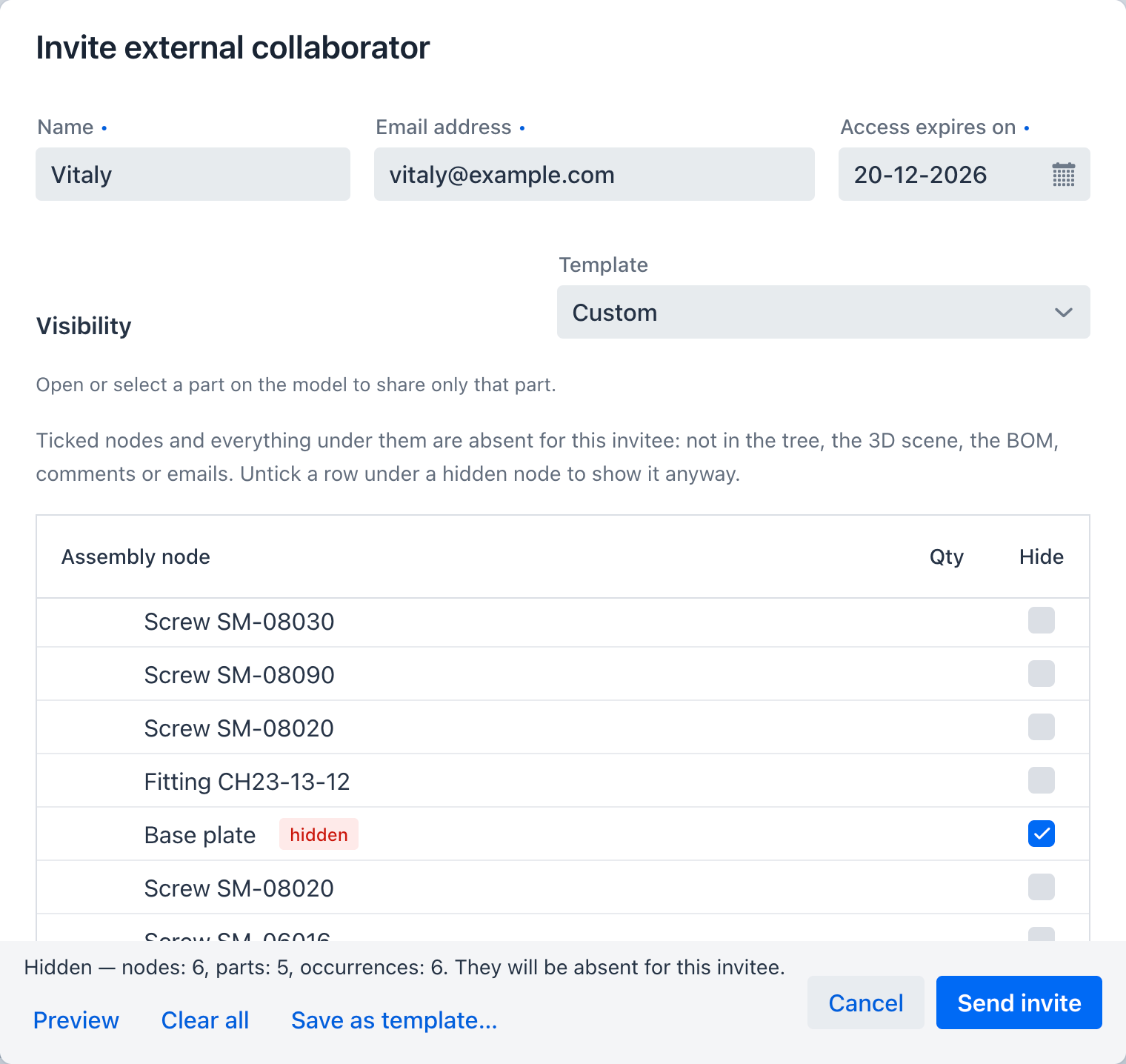
The invitee then sees only that part of the assembly.
Summary
With CUTL you can:
- Show a 3D model to a customer and see all their comments in one window, next to the model itself. No screenshots from different angles. The customer can view the model on a phone and add every remark, but cannot download the model.
- Show a 3D model to outside specialists and get the missing information quickly, without taking much of their time.
- Ask a possible supplier whether they can make the part without handing over the model. If the supplier declines, their access simply expires on the date you set, so suppliers who turn the job down never keep your documentation.
Frequently asked questions
Read more about STEP model collaboration in CUTL, or open a model in the online STEP viewer.